No, iOS Call Screening Will Not Kill Parallel Dialing: Here’s What You Need to Know

With the release of iOS 26, Apple introduced a new feature called Call Screening – prompting a wave of headlines and hand-wringing in outbound circles. At first glance, if your job depends on getting people to pick up the phone, this can sound really concerning. Do you need to completely change strategies? If you use a dialer, will it still work?
At Nooks, we pride ourselves on being experts in the telephony space. Every year, we invest millions of dollars in call deliverability, relationships with carriers, and algorithms to maximize connect rates. So when this new feature was announced, our team dug in. The following is a report based on real testing of the feature, discussions with current Apple employees, and data from millions of calls.
Key Takeaways
What Is iOS Call Screening?
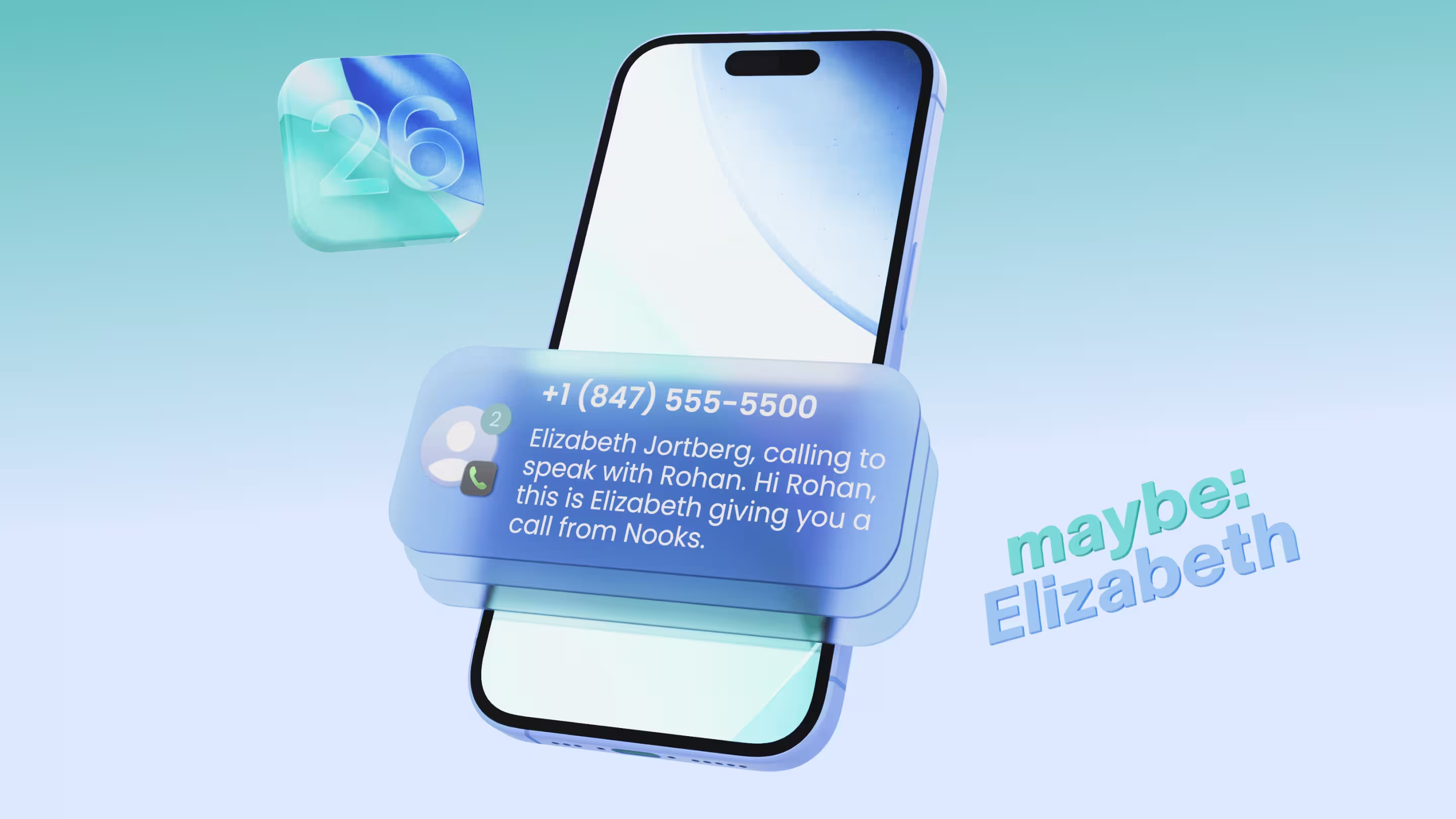
Apple’s new Call Screening feature builds on Live Voicemail. When enabled, the iPhone automatically answers calls from unknown numbers, prompts the caller to state the purpose of their call, and then shows a live transcription of what’s said. The user can choose whether or not to pick up.
Sound familiar? It should. Android users have had this for several years.
Here’s how it works in detail:
- A user that is on iOS 26 must opt-in to the feature.
- Once enabled, new callers will hear a pre-recorded message: “Please state your name and reason for calling.”
- The rep can choose to answer or say nothing.
- After 30 seconds, the prospect’s phone will ring
- While ringing, the iPhone will display a transcript of what the rep said.
This may sound familiar to Google’s Call Screen available on Pixel devices, BUT in reality it’s quite different. Google’s Call Screen uses AI to have interactive, real-time conversations – asking follow-up questions, identifying spam, and even responding on the user’s behalf. Apple’s version doesn’t do any of that.
It’s more like a pre-call voicemail: no interaction, no automated filtering, no AI-powered dialogue. It simply transcribes your message in real time and gives the user the option to answer. After various tests, we never found scenarios where the AI would engage in a conversation.

Credit: Apple
Why This Won’t Kill Cold Calling
1. It’s Off by Default
From what we’ve seen so far, Call Screening is disabled by default – and the setting to enable it is pretty buried. Unless users actively dig through settings, nothing changes. And frankly, the people who will turn it on are often those who already screen or silence unknown numbers anyway. Based on our conversations with a number of sources, our team expects this to remain off-by-default in the upcoming release.
2. Historical Data Suggests Few People Will Use It
How can we estimate how many people will enable this feature? A good starting point is looking at the behavior of current Android users who have had the option to enable Google Calling Assistant for years.
Nooks crunched the numbers analyzing over 5M+ calls and found that less than 4% of calls made to devices currently use AI Call Screener. This suggests that users simply don’t like their calls getting screened or don’t want to go through the hassle of turning it on.
3. The Call Still Goes Through
Our tests show that even if you don’t provide your name and purpose for the call, the phone still rings after 30 seconds. So while the feature may add a short buffer, it doesn’t block the call entirely. This means reps can still use parallel dialing to reach these prospects and expect a similar amount of connects.
4. There’s a Hidden Advantage
This might sound counterintuitive, but Call Screening could actually increase connect rates – if used wisely. Since the caller’s message gets transcribed and displayed, reps now have a chance to hook the prospect before they even answer.
As one CRO we spoke with put it:
“I always read voicemail transcriptions – even when I don’t check my email.”
So really what you get is new surface area to deliver a compelling message.
Questions Outbound Teams Need to Ask
1. Do Your Reps Have Clean, Trusted Numbers?
With Apple pushing harder on spam filtering, it’s more important than ever to ensure your reps are using Grade A numbers that rotate and get scanned for spam daily. If your numbers are flagged as “likely spam,” your calls won’t reach anyone, regardless of Call Screening. This is no longer optional.
2. Can Your Dialer Detect and Adapt to Call Screening?
As Call Screening becomes more common, reps need to know when it’s happening. Was the message delivered? Did a voice assistant pick up? Can they still connect? Most dialers don’t currently offer this level of visibility. Without it, reps are flying blind.
3. Are You Helping Reps Nail the Opening Line?
When your message is transcribed and shown before a call is answered, every word matters. Teams need to invest in short, sharp openers that earn attention fast – especially when the prospect hasn’t picked up yet.
What Nooks Is Building
We’re staying ahead of the curve to make sure your team doesn’t let this opportunity pass you by. Here’s what’s already in motion:
- Automatic iOS Call Screening Detection: While parallel dialing, Nooks will automatically detect when iOS picks up. It will be highlighted directly in the UI, giving reps the option to manually connect when it makes sense.
- AI-Generated Talk Tracks: Custom call scripts tailored for screening so your reps make the most of every second, even if the call hasn’t been picked up yet. Think of it like your pre-voicemail pitch – delivered at the moment it matters most.
- Call Screening Reporting: We plan to analyze pickup patterns from screened calls and share which hooks, phrases, and messages perform best, giving your team the data to continuously improve connect rates over time.
If you’re interested in trying any of the above, let us know! We’re always interested in partnering with early adopters.
The Future of Cold Calling
Call Screening on iOS 26 is not a death sentence for cold calling. Historical data suggests most users won’t enable it. It’s just another evolution – one that gives smart teams a new way to earn attention.
It reinforces what the best teams already know: The key to outbound isn’t brute force. It’s strategy, relevance, timing, and execution.
And at Nooks, that’s exactly what we’re building toward – AI-powered tools that help reps deliver the right message, to the right person, at the right time.
Want to stay ahead of every outbound update?
We’ve got you covered. Reach out to learn how we’re supporting reps in the age of Call Screening.