Best Cold Calling Tools in 2026: The Top 9 Picks for Outbound Teams

Cold calling has a volume problem and a quality problem, and most tools only solve one.
The volume problem is well understood: reps spend more time dialing into voicemail, listening to rings, and logging call outcomes than they spend talking to actual prospects. According to Salesforce's State of Sales report, the average rep spends only 28% of their time on direct selling activity. The rest disappears into the gap between calls.
The quality problem is harder to fix with a dialer upgrade alone. Even when connect rates improve, reps aren't always prepared for the conversation that starts when someone actually picks up. The best cold calling tools in 2026 address both problems at once: more live conversations, and better execution when those conversations happen.
This guide evaluates the top cold calling tools built specifically for outbound teams running high-volume B2B prospecting, not general business phone systems or contact center software. We evaluated dialing technology, AI call assistance, CRM integration architecture, coaching capabilities, and whether each platform consolidates your calling workflow or adds another layer to an already fragmented stack.
Key Takeaways
- The cold calling tools market spans a wide range, from standalone parallel dialers to cloud phone systems to full outbound platforms that unify dialing, sequencing, prospecting, and coaching in one platform. Knowing which category solves your actual constraint matters more than any feature comparison.
- Nooks ranks first because it unifies parallel dialing, real-time call assistance, sequencing, and coaching, all run by AI agents, in one platform rather than requiring separate tools for each function.
- Parallel dialing has become the standard for high-volume outbound teams, but without spam protection and number health monitoring, higher dial volume does not translate to higher connect rates.
- The total cost of a fragmented calling stack (separate dialer, sequencing tool, data provider, and coaching platform) is almost always higher than it looks on a per-seat basis. Evaluate total stack cost, not headline price per tool.
- AI coaching during and after calls is becoming a baseline expectation for teams serious about rep development. Platforms that surface real-time battlecards and automate call scoring across every call are outpacing tools that rely on manual manager review.
9 Best Cold Calling Tools in 2026
The nine tools that consistently come up in outbound team evaluations: Nooks, Orum, Kixie, Salesfinity, Aircall, Trellus, Frontspin, Connect and Sell, and Outbound Sales Pro. Here's how they compare.
1. Nooks: Best Overall Platform for Outbound Sales
Nooks is the AI-native platform built for outbound teams that want calling, sequencing, prospecting, and coaching in one place. The AI Dialer handles AI parallel dialing with live answer detection, spam protection, and number health monitoring, while AI agents handle call prep, account research, and post-call logging automatically so reps start every conversation with context and finish with their CRM already updated.
Key features:
- AI parallel dialing with live answer detection connects reps only when a real person picks up, with voicemail drop and spam-protected number rotation built in so higher dial volume translates to more live conversations, not more spam flags
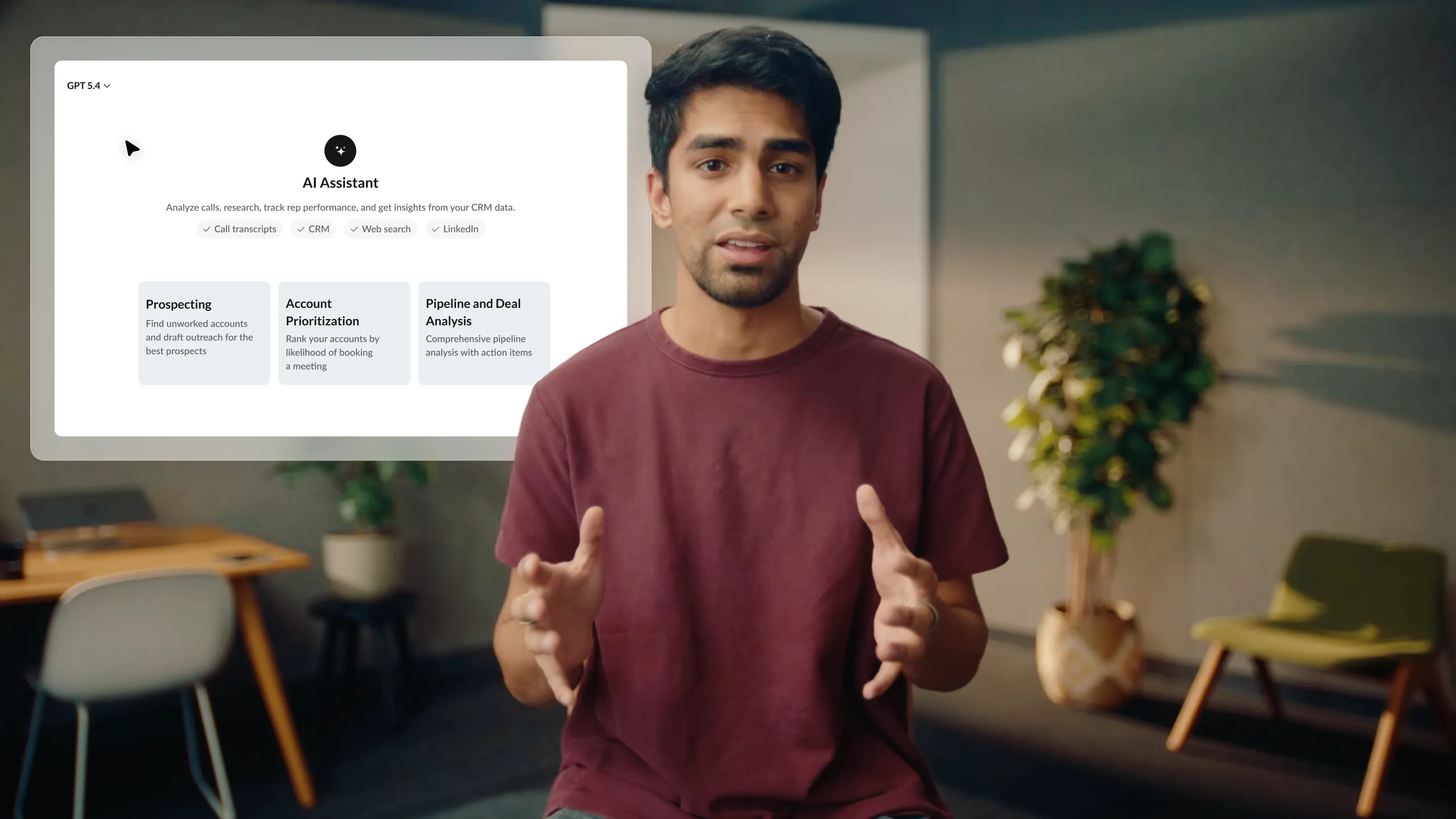
- AI Assistant generates account research, call scripts, and battlecards before each call based on CRM signals and prospect context, so reps aren't walking into cold conversations without preparation
- Real-time coaching surfaces objection-handling guidance and battlecards during live calls, with AI call scoring and AI Coaching roleplay available for practice between sessions
- Virtual salesfloor lets distributed teams run call blitzes, shadow each other's calls, and receive live manager feedback in a shared environment, giving remote teams the energy and accountability of a co-located floor
- CRM-first architecture logs every call outcome, note, and follow-up task directly to Salesforce or HubSpot in real time with no manual entry required after the call ends
Best for: Outbound teams ready to move from a fragmented calling stack to a single platform, where AI agents handle call prep, sequencing, and post-call admin alongside reps in one unified system. Used by 1,800+ companies processing over 1B sales interactions.
Brian DeRosa, VP Global Business Development at HubSpot, reported a 95% increase in dials and a 50% improvement in connect rate after switching to Nooks. Greenhouse Senior Director of Sales Development Mariah Donnelly reported 4x dials, 7x connect rate, and a 70% increase in pipeline. See the Greenhouse customer story for the full breakdown.
2. Orum: Best Standalone Parallel Dialer for Call Volume
Orum is a cloud-based parallel dialer built specifically for high-volume outbound calling. It uses AI-powered live answer detection to route reps to a conversation the moment a real person picks up, with automatic voicemail drop and local presence dialing included. Orum also has team calling features, including a shared floor environment for running call blitzes and rep shadowing.
Key features:
- Parallel dialing with AI-powered live answer detection that routes reps only when a human picks up, with voicemail drop to leave pre-recorded messages automatically
- Local presence dialing that matches the outbound caller ID to the prospect's area code to improve answer rates on cold calls
- Team calling features including a shared floor environment for call blitzes and real-time collaboration during high-volume sessions
- CRM integration with Salesforce and HubSpot for automatic call logging and outcome tracking after each call
Best for: SDR teams that want a dedicated parallel dialer for high call volume and run separate tools for sequencing, coaching, and prospecting in the rest of their stack.
3. Kixie: Best CRM-Integrated Power Dialer
Kixie is a power dialer and business phone system built around CRM integration depth. It has one of the broadest CRM compatibility lists in the category, covering HubSpot, Salesforce, Pipedrive, and 25+ others, with automatic call logging and click-to-call from within the CRM interface. Kixie also offers local presence dialing, voicemail drop, and SMS alongside outbound calling.
Key features:
- Click-to-call from within the CRM interface with automatic activity logging after each call, so reps never have to switch between the phone system and their CRM to update records
- Local presence dialing and voicemail drop for improving answer rates and leaving consistent messages at scale across large prospect lists
- Multi-line dialing mode for teams that want to move from sequential power dialing toward parallel calling without switching to a dedicated parallel dialer platform
- SMS integration that adds text outreach to the same interface reps use for calls, without a separate messaging tool
Best for: Teams with complex CRM setups that need reliable, deeply integrated calling with automatic logging across a wide range of CRM platforms.
4. Salesfinity: Best AI Parallel Dialer for Growing Teams
Salesfinity is an AI parallel dialer built for teams moving from power dialing to multi-line calling. It offers parallel dialing with AI-assisted call management and post-call follow-up automation at a price point more accessible than legacy enterprise dialer platforms. It's designed for growing SDR teams that want the efficiency of parallel dialing without the configuration overhead of larger enterprise tools.
Key features:
- Parallel dialing with AI live answer detection and automatic voicemail drop for reaching more prospects per hour without adding rep headcount
- Post-call follow-up automation that triggers email follow-ups based on call outcomes, so reps don't have to manually initiate next steps after every conversation
- CRM integration for automatic call logging with Salesforce and HubSpot
- Straightforward interface designed for quick rep onboarding, with less configuration overhead than more complex enterprise dialer platforms
Best for: Growing SDR teams that want to upgrade from single-line power dialing to AI-assisted parallel dialing at an accessible price point, without heavy implementation lift.
5. Aircall: Best Cloud Phone for Mixed Inbound and Outbound
Aircall is a cloud-based business phone system built for teams that manage both inbound and outbound calls from the same platform. It includes IVR routing, call queuing, team phone numbers, analytics, and CRM integration. It's primarily used by inside sales teams and support teams that need a shared phone system with reporting and collaboration features, rather than a high-volume outbound-only dialer.
Key features:
- IVR and call queuing for managing inbound calls alongside outbound prospecting from the same platform, without running two separate phone systems
- Team analytics including call volume, wait times, and activity tracking across inbound and outbound calls in a shared dashboard
- CRM integrations with HubSpot, Salesforce, and others for automatic call logging and contact record syncing
- Call recording and monitoring features for quality assurance and coaching review across both inbound and outbound call types
Best for: Inside sales teams that handle inbound inquiries and outbound prospecting from the same phone system, and need IVR, call queuing, and team analytics alongside basic outbound calling.
6. Trellus: Best AI Coaching Layer for Your Existing Dialer
Trellus is an AI coaching and call intelligence tool that integrates with your existing dialer rather than replacing it. It connects to platforms including Salesloft, Outreach, HubSpot, Orum, and Apollo, and adds real-time coaching nudges, battlecards, and AI call summaries on top of whatever dialer your team already uses. For teams that want to add AI coaching capabilities without switching platforms, Trellus is the lowest-friction path.
Key features:
- Real-time coaching nudges and battlecards that surface during live calls based on what's being said, without requiring reps to switch to a new dialer
- AI call summaries and transcripts generated automatically after each call to reduce post-call admin time and help managers catch coaching moments they wouldn't otherwise review
- Integration with existing dialers (Salesloft, Outreach, HubSpot, Orum, Apollo, and others) so reps keep their current calling workflow while adding coaching intelligence on top
- Call scoring and analytics for managers to track rep performance patterns across full call volume, not just the handful of calls they can review manually each week
Best for: Teams that are satisfied with their current dialer but want to add AI call coaching, real-time guidance, and automated call summaries without switching their core calling platform.
7. Frontspin: Power Dialer for Multi-Touch Cadences
Frontspin is a sequential power dialer that layers manual task reminders for email and LinkedIn touches on top of the calling workflow. It's designed for SDR teams running multi-touch cadences where phone is the primary channel and reps still want a prompt to handle email and social touches without leaving the dialer. The coordination is manual task tracking, not automated cross-channel sequencing, and Frontspin doesn't offer parallel dialing or AI call assistance.
Key features:
- Power dialing with voicemail drop and local presence, with email and LinkedIn touches surfaced as task reminders in the same interface rather than run as an automated sequence
- Cadence management that schedules phone as the primary touch with manual task prompts for email and social steps, rather than AI-driven sequencing across channels
- Salesforce integration with automatic activity logging for calls, emails, and social tasks completed within the platform
- Rep-focused interface designed to minimize context-switching and dead time between tasks during an active outbound session
Best for: Best for: SDR teams running phone-first multi-touch cadences who want basic task reminders for email and LinkedIn touches alongside their dialer, without automated cross-channel sequencing or AI coaching.
8. Connect and Sell: Legacy Parallel Dialer for Enterprise Teams
Connect and Sell is a parallel dialer that uses a combination of automated dialing and human screeners to filter live answers before routing calls to reps. It's an enterprise-focused platform that has been in the market since 2007, with a price point and architecture that reflect its position as a legacy enterprise tool. It remains in use at large organizations with established outbound programs and long-term contract commitments built on older infrastructure.
Key features:
- Human-assisted live answer filtering that screens calls before connecting reps, reducing time spent waiting through rings and disconnected numbers
- Enterprise-grade outbound dialing with compliance features and reporting for large-scale outbound programs
- CRM integration with major enterprise CRM platforms for call logging and activity tracking
- Dedicated account management and implementation support for enterprise organizations
Best for: Large enterprise organizations with established outbound programs already running on legacy dialer infrastructure and long-term contract commitments, where platform migration isn't currently an option.
9. Outbound Sales Pro: Outsourced SDR Team for Managed Outbound
Outbound Sales Pro is an outsourced SDR agency that runs outbound programs on behalf of B2B companies. Unlike the dialers above, it isn't software your reps log into. It supplies the people and process, including cold callers, email outreach, and LinkedIn outreach, with AI-assisted prospecting behind them. It fits teams that want meetings booked without hiring, training, and managing an in-house SDR team.
Key features:
- Cold calling handled by dedicated SDRs, so your team doesn't need to buy or configure a dialer
- Multi-channel outreach that combines calls with email and LinkedIn touches in one managed program
- AI-assisted prospecting to build and prioritize target lists before outreach starts
- Additional services including website visitor identification and market validation research
Best for: Teams that want outbound run by an outside SDR team instead of adding a dialer to an in-house motion, especially early-stage companies without the headcount to staff a full SDR function. Teams that want to own the calling workflow and keep call data in their own stack are better served by the dialers above. Learn more at Outbound Sales Pro.
How We Evaluated the Best Cold Calling Tools
We evaluated these tools based on the criteria that determine calling performance and workflow efficiency for outbound-focused SDR and BDR teams.
- Dialing technology and throughput. Parallel dialing is meaningfully more efficient than sequential power dialing for high-volume outbound teams. We evaluated whether platforms offer true parallel dialing with live answer detection or sequential dialing with automation layered on top, and what the practical difference looks like at scale.
- Spam protection and number health. Parallel dialing delivers no advantage if outbound numbers are flagged by carriers. We assessed whether platforms include proactive number rotation, carrier registration, reputation monitoring, and local presence dialing as native capabilities rather than optional add-ons.
- AI assistance during and between calls. Platforms that surface account research, battlecards, and objection-handling guidance in real time give reps a material advantage. We evaluated the depth and reliability of in-call AI assistance, not just whether it appears on a feature checklist.
- CRM integration architecture. The difference between a platform that logs call activity natively to the CRM and one that maintains a parallel database compounds over time. We assessed whether each tool keeps the CRM as the authoritative system or creates a sync-dependent data layer that introduces reconciliation overhead.
- Coaching and performance feedback loops. Tools that automate call scoring across every rep's calls give managers visibility that manual review can't provide at scale. We evaluated whether coaching capabilities are native to the platform or require a separate integration, and whether call insights feed back into rep development in a structured way.
- Stack unification vs. point solution. A standalone dialer still leaves teams managing separate sequencing, prospecting, and coaching tools. We assessed whether each platform consolidates calling into a broader outbound workflow or requires additional tools to run a complete outbound motion.
How to Choose the Right Cold Calling Tool
Choosing the wrong tool in this category costs money in two directions: the direct cost of a platform that doesn't fit your motion, and the lost pipeline from reps spending more time on setup than on conversations. The right cold calling tool depends on what problem your team is actually trying to solve.
Know Your Actual Constraint Before Evaluating Vendors
If reps are reaching voicemail on most calls, you have a connect rate problem, and a parallel dialer addresses it directly. If reps are connecting but not converting, you have a conversation quality problem, and a dialer upgrade alone won't help. If reps are spending significant time on post-call admin, you have an integration problem. Most buying decisions in this category happen before teams have diagnosed which constraint is actually limiting pipeline. Run a week of call activity review, break down time-in-calls vs time-between-calls vs time-on-admin, and buy for the constraint that shows up most clearly.
Evaluate Spam Protection Before Anything Else
Parallel dialing generates more dials per hour, but the connect rate advantage disappears if outbound numbers get flagged by carriers. Carriers flag numbers that dial aggressively without proper registration and rotation. Before committing to any parallel dialer, ask specifically how the platform handles number rotation, what the carrier registration process looks like, and how quickly numbers are pulled from rotation when spam flag rates rise. Spam protection determines whether parallel dialing actually outperforms power dialing for your team.
Decide Whether You Need a Dialer or a Calling Platform
A standalone dialer improves dial volume. A calling platform improves what happens before, during, and after the call. Teams using a standalone dialer still need separate tools for prospecting, sequencing, and coaching alongside it. Teams using a unified calling platform have all of that running together. That is why sequencing and dialing need to operate as one system rather than as adjacent tools that sync after the fact. The cost difference between "dialer plus four integrations" and "one unified platform" is often smaller than it looks on a per-seat comparison. Count the total tools in your current calling stack and what each costs before evaluating any single tool in isolation.
Match CRM Integration Depth to Your RevOps Architecture
Teams where RevOps owns data quality need a calling tool that treats the CRM as the authoritative system, not a sync destination. Ask vendors to walk you through exactly what gets logged automatically after a call ends versus what still requires manual rep input. Platforms that log everything natively in real time reduce RevOps overhead and give managers accurate reporting without reconciling two data sources. Platforms that sync periodically or require manual entry introduce the kind of data drift that makes pipeline reporting unreliable as team size grows.
Consider Where Your Team Will Be in 12 Months
A power dialer that works for five reps may require a platform switch at fifteen. A standalone parallel dialer with no sequencing may become the bottleneck once connect rate is no longer the primary constraint. Buying for where your team is today is cheaper in the short term and more expensive over 18 months when the migration happens anyway. Ask vendors specifically about pricing at your target team size, what happens to your data if you migrate, and whether the platform handles the full outbound motion as your team scales or requires adding more tools as you grow.
What Trends Are Shaping Cold Calling Tools in 2026?
The calling tools category is consolidating around AI-native platforms that handle the full outbound workflow rather than just the dial. Three forces are driving it.
Parallel dialing is becoming the standard, not the upgrade. Two years ago, parallel dialing was a feature for high-volume outbound specialists. In 2026, it's the baseline expectation for teams running any serious volume of cold calling. Teams still on sequential power dialing are giving up connect rate efficiency at a time when cold email reply rates are declining and the phone is recovering as the highest-converting outbound channel. More teams are evaluating whether their dialer keeps up with what's now standard in the category.
AI coaching during calls is replacing after-the-fact review. The traditional coaching model, where a manager reviews a handful of calls and gives feedback Monday morning, doesn't scale with team size and produces insights too late to change behavior in the next call. Real-time battlecards, live whisper coaching, and in-call AI prompts are now available at the platform level for teams that want to improve rep performance in the moment rather than in the debrief. Platforms handling coaching as part of the calling workflow, not as a separate analytics tool, are setting the new standard.
Standalone dialers are being replaced by calling platforms. The pattern replacing the standalone dialer is a unified platform where dialing connects to prospecting, sequencing, and coaching in real time. The driving force: reps who finish a call and switch to a sequencing tool to update a cadence, then to a coaching platform for feedback, then back to the CRM to log the outcome, are burning time that a unified platform eliminates automatically. The toggle tax compounds across every rep, every call, every day.
Final Thought: Nooks Ranks First for Cold Calling in 2026
The best cold calling tool for outbound teams in 2026 is the one that treats intelligent calling as the architecture, not a feature added on top of a sequential dialer.
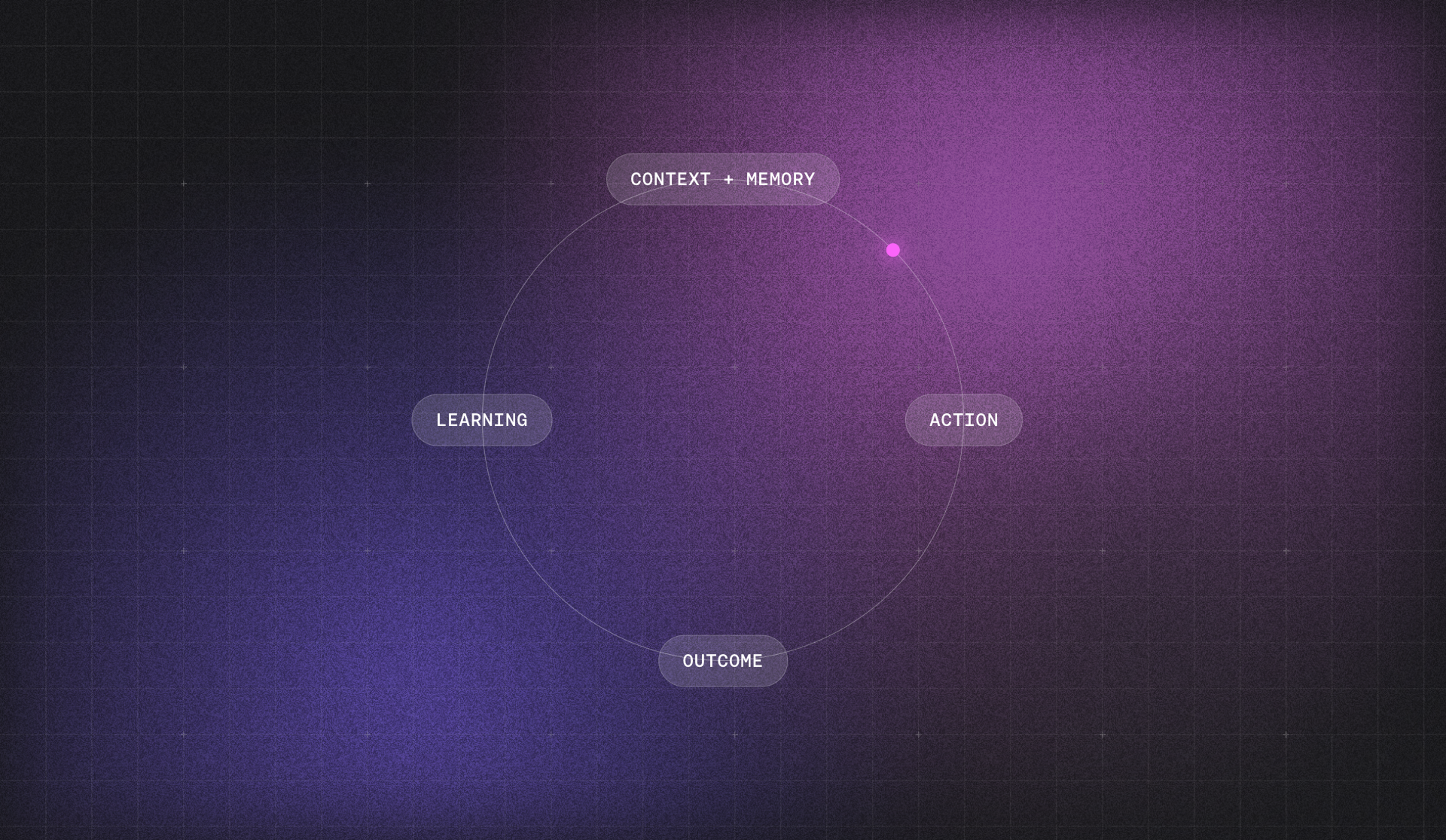
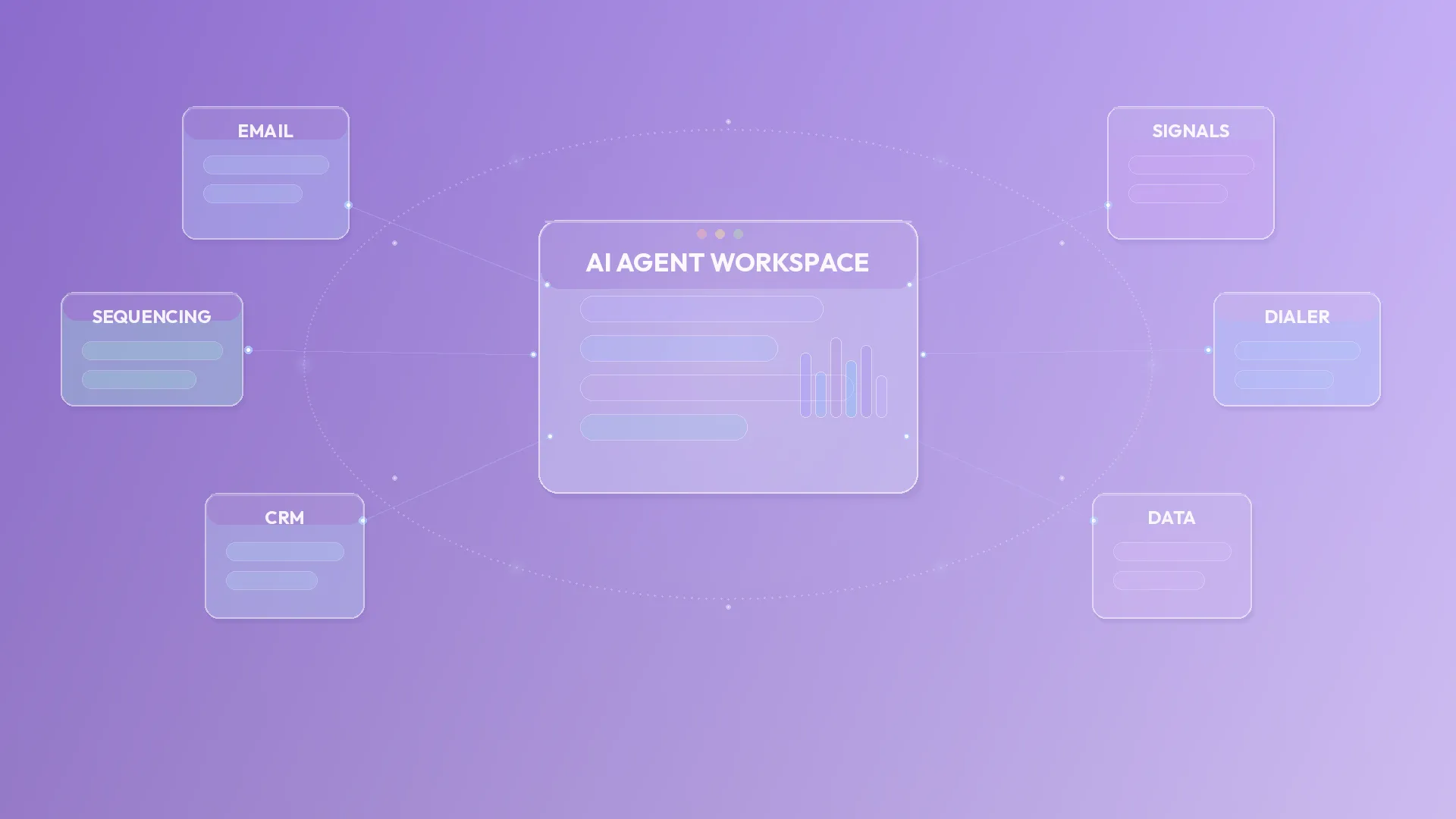
Nooks connects AI Dialer with AI Sequencing, AI Coaching, and AI Prospecting in one unified platform. Parallel dialing with spam protection runs alongside real-time AI call coaching. Call outcomes automatically update the CRM and trigger the next sequence step. Reps start every call with account context already surfaced and finish with their CRM already updated. No toggle tax, no post-call admin backlog. One platform handles coaching alongside everything else.
If your team is ready to see what intelligent calling looks like in practice, request a demo.